
Logging in to your Kactus account
To log in to the platform:
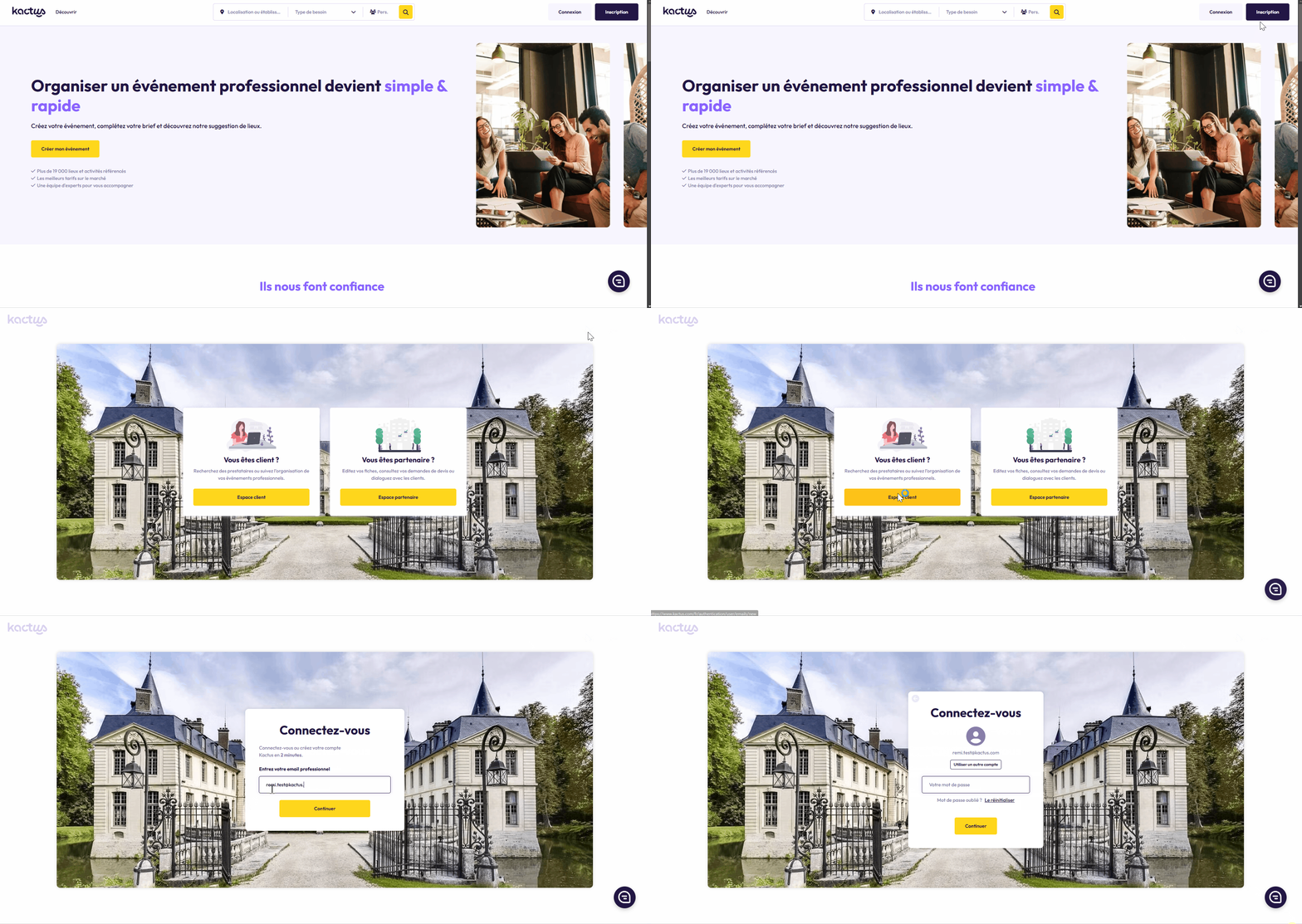
Go to www.kactus.com
Click the "Log in" button in the top right-hand corner of your screen
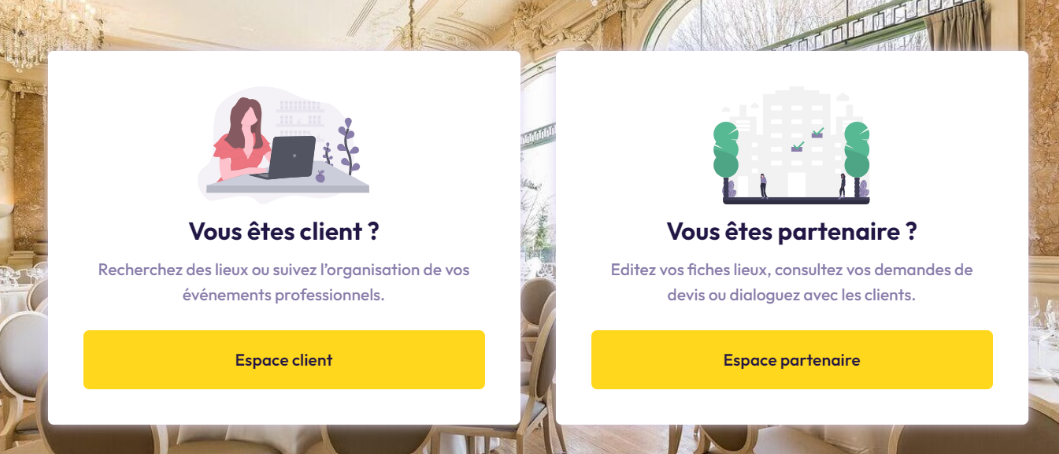
If you organise events, click "Client area".
If you own a venue, click "Partner area".
Finally, enter your email address and password.
🎥 STEP-BY-STEP VIDEO GUIDE
💡 GOOD TO KNOW
If you organise events, your email address is only recognised among our clients, so you won't be able to log in with it via the Partner Area.
If you own a venue, your email address is only recognised among our partners, so you won't be able to log in with it via the Client Area.
Kactus doesn't have access to your password, as it's encrypted and confidential. If you've forgotten it, reset it to log in!
If you're not sure which email address is linked to your account, contact us at support@kactus.com